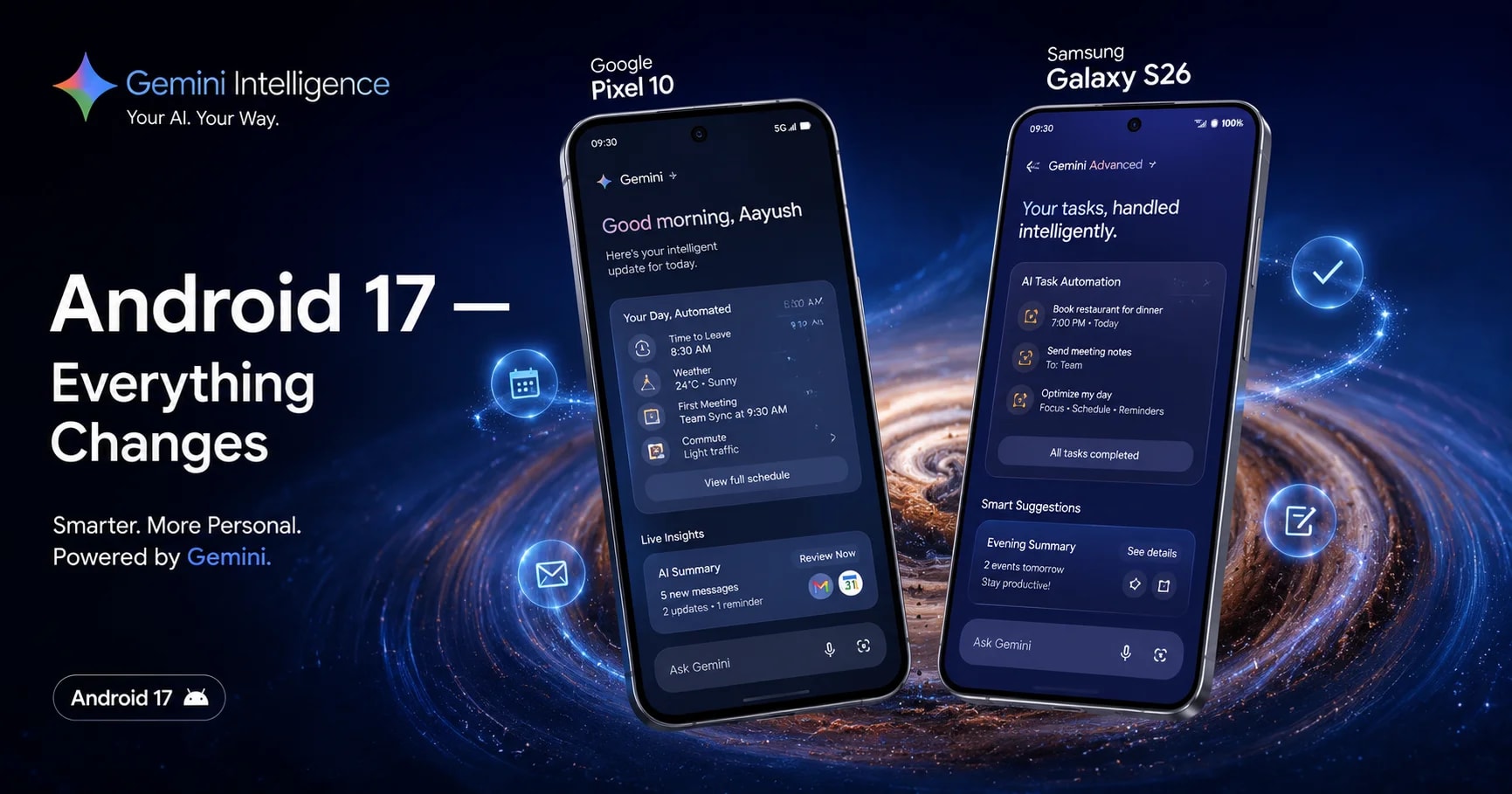
Google just had its most exciting Android announcement in years. On May 12, 2026, at The Android Show, a dedicated event held just days before Google I/O, the company officially pulled back the curtain on Android 17, codenamed "Cinnamon Bun" internally. And if you've been paying attention to the beta builds over the past few months, you already know this is shaping up to be one of the biggest Android releases in recent memory.
The stable release is expected in June or July 2026, starting with Google Pixel phones and rolling out to Samsung Galaxy, OnePlus, and other Android flagships throughout the second half of the year. But you don't have to wait for the launch to know what's coming. Android 17 has been in beta since February 2026, and Beta 4 (the final one) is already live.
In this article, we break down every confirmed Android 17 feature, the exact devices getting the update, how it connects to Samsung's One UI 9 and OxygenOS 16.1, and what it all means for your Android experience in 2026.
What Is Android 17? The "Cinnamon Bun" Update Explained
Android 17 is the next major version of Google's mobile operating system, following Android 16 which launched in June 2025. While Android 16 was a foundational update focused on performance and design language, Android 17 is where the real AI payoff begins, specifically through a deeply integrated system called Gemini Intelligence.
A few things about Android 17 are worth understanding right away:
New release cadence: Google has replaced traditional developer previews with a Canary release channel, which started in January 2026. This gives developers and enthusiasts continuous access to new features year-round rather than just in the early months of a cycle. Beta 1 arrived on February 14, 2026; Beta 2 on February 27; Beta 3 on March 28; and Beta 4 (platform stability confirmed) on April 16, 2026.
Q2 + Q4 SDK releases: Google will drop a major SDK update in Q2 2026 with the main stable release and a secondary SDK update in Q4 2026, meaning Android 17 will continue gaining features even after launch.
Codename Cinnamon Bun: Google stopped using public dessert names with Android 10, but internal codenames live on. Android Authority spotted "Cinnamon Bun" in Canary build code, a sweet name for a genuinely substantial update.
Android 17 Key Features: What's Actually New
1. Gemini Intelligence: AI That Does Things For You
This is the centerpiece of Android 17. Gemini Intelligence isn't just a smarter chatbot; it's an on-device AI agent capable of executing complex, multi-step tasks across apps without you needing to switch between them.
The first use cases are being trained on food delivery and rideshare apps, so you can say something like "Order my usual from Zomato for delivery at 7pm," and Gemini handles the entire process of opening the app, selecting items, applying your saved address, and confirming the order. Beyond ordering food, Gemini Intelligence can handle calendar scheduling, draft messages based on context, and interact across apps in a way no previous Android version has attempted.
Create My Widget is a part of Gemini Intelligence that deserves its own mention. You can now prompt Gemini in natural language to generate a custom home screen widget from scratch, and it builds one using Material Design Expressive, which is functional and personalized. Google calls this "the first step in generative UI." This is the kind of feature that makes Android stand out from iOS in a very real, practical way.
2. Rambler: AI-Powered Voice Typing That Actually Works
Gboard on Android 17 gets a major new feature called Rambler, an AI-powered voice input tool that goes well beyond traditional speech-to-text. Rambler listens to you speak naturally, including your "umms," "ahs," and self-corrections, and then cleans everything up into coherent, well-structured text. You can backtrack mid-sentence, change direction, and Rambler adapts the output accordingly. You still get to review and correct before sending. This is voice input done the way it always should have been.
3. App Bubbles: Any App, Floating, Anywhere
Android 17 introduces App Bubbles as a native system feature. Long-press any app icon on your launcher and you can launch it as a floating bubble that sits on top of any other screen. On tablets and large-screen phones, a dedicated bubble bar in the taskbar organizes multiple active bubbles. This makes true multitasking feel organic rather than forced; you can reference a chat while watching a video or keep Maps visible while writing an email without any workarounds.
4. Pause Point: Built-In Doomscroll Protection
Part of Android 17's Digital Wellbeing overhaul, Pause Point adds a 10-second intentional friction screen every time you open an app you've flagged as distracting. During those 10 seconds, you can do a breathing exercise, set a time limit for the session, look at a saved favorite photo, or redirect yourself to a healthier alternative app. Here's what makes it genuinely useful: turning Pause Point Off requires a full phone restart. The friction is baked in by design. Google says this is the first of a larger well-being toolkit coming later in 2026.
5. Screen Reactions: Built-In Reaction Video Tool
Content creators will appreciate Screen Reactions, a native Android 17 tool that records your screen and front-facing camera simultaneously. No green screen. No second device. No third-party app. The result is a properly composited reaction video with your face overlaid on your screen content, ready to upload directly to YouTube Shorts, Instagram Reels, or wherever you share content. Adobe Premiere is also arriving on Android as a dedicated app later this summer with exclusive templates for Android users.
6. Advanced Security: Android's Biggest Safety Upgrade in Years
Android 17 brings Google's most substantial security package in years, and several of these features are genuinely impressive.
Verified Financial Calls: Android will automatically end phone calls from numbers impersonating your bank if your bank's official app is installed and opts in. The verification happens silently in the background. Revolut, Itaú, and Nubank are among the first partners, with more banks expected at launch.
Live Threat Detection: On-device AI now actively scans installed apps for suspicious behavior, including apps that silently forward your SMS messages, misuse Android's accessibility features, or hide their icon and run invisibly in the background. If suspicious behavior is detected, Android flags and removes it in real time.
Advanced Protection Mode: Building on Android 16's introduction of this feature, Android 17's version blocks non-accessibility apps from accessing the Accessibility Services API, disables device-to-device unlocking, and adds scam detection for chat notifications.
SMS OTP Protection: To prevent SIM-swap and OTP hijacking attacks, Android 17 delays programmatic access to OTP messages by three hours for most apps that haven't adopted the secure SMS Retriever API.
7. Native Game Controller Remapping
For mobile gamers, this is a long-overdue feature. Android 17 introduces native system-level game controller remapping accessible at Settings → System → Game Controller. You can remap buttons, sticks, and triggers across any game without relying on individual games to build that support themselves. This has been confirmed and tested in Beta 2, and it's already working well in hands-on reports.
8. Camera Improvements: RAW14 Format and More
Professional camera users get a meaningful upgrade with RAW14 image format support, a 14-bit per pixel RAW capture format for compatible sensors. This means significantly more detail, more color depth, and more headroom for post-processing in apps like Lightroom and Adobe Premiere. Additionally, through a Meta partnership, Instagram on Android 17 gets ultra-HDR capture, built-in video stabilization, Night Sight integration, and a lossless capture-to-upload pipeline.
Android 17 Release Date: When Is It Coming?
The stable Android 17 release is expected in June or July 2026, following Google's established cadence. For reference, Android 16 stable launched on June 10, 2025, so a similar June 2026 window is the most likely target.
Here's the confirmed timeline so far:
| Milestone | Date |
|---|---|
| Canary builds begin | January 2026 |
| Beta 1 | February 14, 2026 |
| Beta 2 | February 27, 2026 |
| Beta 3 | March 28, 2026 |
| Beta 4 (Platform Stability) | April 16, 2026 |
| Official Announcement (The Android Show) | May 12, 2026 |
| Stable Release (Expected) | June – July 2026 |
| OEM Rollouts (Samsung, OnePlus, etc.) | Q3 – Q4 2026 |
Android 17 Eligible Devices: Which Phones Are Getting Them?
Google Pixel Phones
Pixel devices receive Android 17 first. The confirmed eligible Pixel lineup runs from Pixel 6 through Pixel 10. Google extended software support for the Pixel 6 and Pixel 7 series by two years, so both generations now make the Android 17 cut—great news for older Pixel owners.
Supported Pixel devices include:
- Pixel 6, 6 Pro, 6a
- Pixel 7, 7 Pro, 7a
- Pixel 8, 8 Pro, 8a
- Pixel 9, 9 Pro, 9 Pro XL, 9 Pro Fold
- Pixel 10 series (launching with Android 17)
Samsung Galaxy Phones: One UI 9
Samsung is already moving fast on Android 17. The One UI 9 beta program launched this week for the Galaxy S26 series in India, Germany, South Korea, Poland, the UK, and the US.
One UI 9 on Android 17 brings expanded Creative Studio tools, a new Text Spotlight feature for accessibility, enhanced security warnings for high-risk apps, and Samsung Notes improvements, including decorative tapes and new pen line styles.
The first stable One UI 9 release is expected on the Galaxy Z Fold 8 and Z Flip 8 when they launch in July 2026, followed by the Galaxy S26 series and then older supported devices. If you want to know which Samsung devices currently run One UI 8.5 (the Android 16-based update), you can read our detailed breakdown here → [ Samsung One UI 8.5 Update: 10 Hidden Features Apple Can't Copy ]
OnePlus Phones' Future OxygenOS Update
OnePlus is currently focused on rolling out OxygenOS 16.1 (based on Android 16) across its device range, which just began in India in May 2026. Android 17-based OxygenOS updates for OnePlus are expected in late 2026 or early 2027. If you're curious about what OxygenOS 16.1 brings to your OnePlus device right now, read our full guide here → [ OxygenOS 16.1 Update: Release Date in India, New Features & Every Eligible Device ]
Other OEMs
- Xiaomi: Internally testing Android 17 under HyperOS 3.3 Developer Preview builds
- OnePlus / OPPO: ColorOS and OxygenOS Android 17 versions expected Q4 2026
- Motorola, Nothing, Realme: Android 17 expected for flagship devices in Q1 2027
Android 17 vs Android 16: What's the Real Difference?
If you just received Android 16 on your phone (or are still waiting for it), you might wonder whether Android 17 is worth the anticipation of the upgrade.
Here's an honest comparison:
Android 16 was primarily a foundation and design update, the Material Expressive design language, better performance on older hardware, Advanced Protection Mode introduction, and the new release cadence.
Android 17 is where the payoff arrives: Gemini Intelligence doing real multi-step tasks, App Bubbles for proper multitasking, native game controller support, system-level security features that actively protect you from scams and malicious apps in real time, and creative tools for content creators built directly into the OS.
The short answer: Android 16 set the stage. Android 17 is the show.
How to Install Android 17 Beta Right Now
If you own a supported Pixel phone and can't wait for the stable release, here's how to join the Android 17 beta program:
- Visit android.com/beta and sign in with your Google account
- Select your eligible Pixel device
- Enroll in the beta program
- Go to Settings → System → System Update on your phone and check for updates
- Download and install the current Beta 4 build, which is described as stable enough for daily use
Important: Beta software can have bugs. Back up your data before installing, and keep in mind that unenrolling from the beta may require a factory reset.
If you're on a non-Pixel device (Samsung, OnePlus, or Xiaomi), check your manufacturer's community forums for brand-specific Android 17 beta programs, which typically open after Google's stable launch.
Frequently Asked Questions
Q: What is the Android 17 release date?
The stable Android 17 release is expected in June or July 2026. Google's Android 17 Beta 4 achieved platform stability on April 16, 2026, and the official announcement was made at The Android Show on May 12, 2026. Pixel phones will receive it first, followed by Samsung, OnePlus, and other manufacturers throughout Q3 and Q4 2026.
Q: What is Android 17's codename?
Android 17's internal codename is "Cinnamon Bun." Google stopped using public dessert names after Android 9 Pie, but internal codenames are still used in source code. Android Authority discovered the Cinnamon Bun reference in the Canary build code released in late 2025.
Q: Which Samsung phones will get Android 17?
Samsung is rolling out Android 17 under One UI 9. The Galaxy S26 series is the first to receive the One UI 9 beta. The stable One UI 9 release is expected on the Galaxy Z Fold 8 and Z Flip 8 at launch in July 2026, followed by the Galaxy S26 series and then older supported Galaxy flagships throughout Q3-Q4 2026.
Q: Will Android 17 work on my older phone?
Most Android flagship phones launched in 2024, 2025, and 2026 are expected to receive Android 17. Mid-range devices will follow, typically 3–6 months after flagship rollouts. Devices older than 3–4 years may not qualify, depending on the manufacturer's update policy. Google Pixel 6 and newer are confirmed. For OnePlus, any device currently eligible for OxygenOS 16 should also qualify for the Android 17-based OxygenOS update.
Q: Is Android 17 better than iOS 19?
Android 17 leads iOS 19 in several meaningful areas, particularly on-device AI through Gemini Intelligence, native game controller remapping, App Bubbles for true multitasking, and the Advanced Security suite. Apple is reportedly planning to integrate Google Gemini into iOS 27 for more complex AI requests, which is effectively an acknowledgment that Android's AI integration is currently ahead. That said, iOS remains stronger on cross-device ecosystem integration for users within Apple's hardware ecosystem.
Conclusion: Android 17 Is the Update Worth Getting Excited About
After a few years of iterative Android updates, Android 17 feels genuinely exciting, and not just because of the AI features. The combination of Gemini Intelligence for real task automation, App Bubbles for proper multitasking, a meaningful security overhaul, and creative tools built natively into the OS makes this a release that improves the core Android experience in ways users will notice every single day.
If you're on a Pixel phone, the stable release is just weeks away. If you're on Samsung or OnePlus, your Android 17-based update is coming in the second half of 2026, and you can stay productive in the meantime with One UI 8.5 and OxygenOS 16.1, which are already live with their own impressive AI and performance upgrades.
To check if your Pixel is already in the Android 17 beta: Go to Settings → System → System Update, or visit android.com/beta to enroll.
The best Android in years is almost here. Don't miss it.